|
 |
|
|
|
- Set up loggers and present recorded data
- Works with all Tinytags
- Versatile and easy to use
- Copy/export data into popular packages: eg. MS Excel; Word
- Site Licence allows multiple users at same location
Compatible with Windows Vista, 7, 8 and 8.1 (x86 & x64 versions)
|
|
About Tinytag Explorer
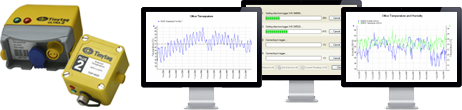
Tinytag Explorer is the Windows program used to configure Tinytag loggers and view recorded data. During set up, logger names, logging intervals and alarm settings can easily be chosen. Recorded data can be shown as a graph, table of readings or summary information.
|
 |
|
Features
- Quick to get started, simple step-by-step set up screen
- Combine data traces from multiple recordings on the same graph
- Graphical, tabular and information views
- Supports Txt, CSV, Excel, and XML export formats or simply copy and paste
- Choice of data views or presentations - concise graphs and tables
- Bulk Offload Tool
- Run ID feature creates a unique traceable code for each recording
- Calibrations reminder facility integrated
- Illustrated and comprehensive 'Help' file
- Current reading feature that allows you to check your loggers
- Multiple language support
 Product Datasheet Product Datasheet
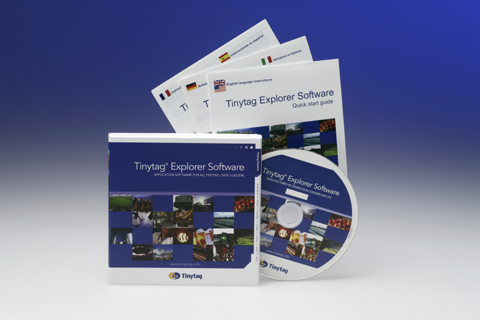
A full version of Tinytag Explorer supplied on CD with an illustrated Quick Start guide.
|
Using Tinytag Explorer
All Tinytags use Tinytag Explorer software. The step-by-step launch page enables the selection of the logger's settings according to particular requirements. Offloaded information is initially presented as a graph, with simple navigation features for zooming and scrolling through data. Axes can be rescaled, notes added and unwanted data masked using a 'top and tail feature'.
Data is also available as a table of readings, summary information view, and daily minimum/maximum view. Data can easily be exported or copied and pasted into popular office packages. Information from multiple logging runs or multiple loggers can be combined into the same graph or table, using the comprehensive overlay features.
Buy Online:
|
|
|
|
|